
To contact Kimi support, use the channel that matches your issue. Email [email protected] for general product, technical, account, complaint, or non-billing questions. For subscription charges, missing credits, plan changes, cancellations, or invoices, email [email protected]. Kimi API users can contact [email protected], while Kimi Code users can run /feedback or email [email protected]. You can also submit a report inside the Kimi web or mobile app so the report includes relevant device and account context.
Support addresses, menu names, community links, and product-specific procedures can change. Check Kimi’s current official Help Center before sending sensitive or time-critical information.
Independent-site notice: Kimi-AI.free is not Kimi customer service and is not operated by Moonshot AI. We cannot access a Kimi account, view payment records, cancel a subscription, restore chat history, issue a refund, reset limits, or modify an API balance. Use the official channels in this guide for those requests.
Email-domain note: Kimi’s current global Help Center lists support addresses using the
moonshot.aidomain. Some older or regional help pages may still displaymoonshot.cnaddresses. Before emailing, confirm the address on the current official contact page rather than relying on a saved article or screenshot.
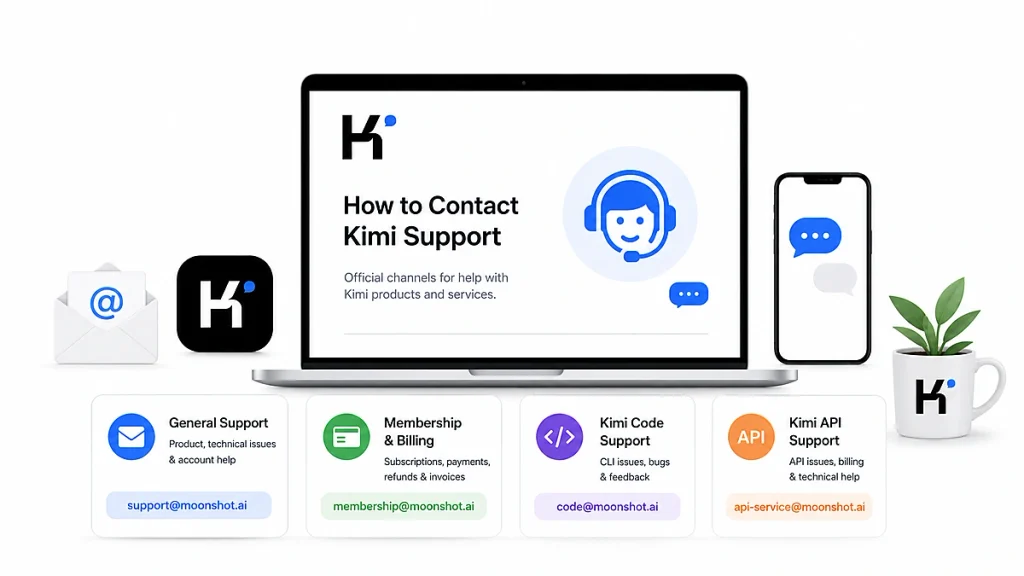
Kimi Support Contact Details at a Glance
| Issue | Recommended official channel | What to include |
|---|---|---|
| General product or technical issue | [email protected] or in-product feedback | Account email, device, app/browser version, error, screenshot and reproduction steps |
| Account question that is not about payment | [email protected] | Registered email or masked phone number, account ID if available, and exact issue |
| Membership, subscription or billing | [email protected] | Account email, order date, plan, receipt, charge screenshot and requested resolution |
| Credits missing after purchase | [email protected] | Payment receipt, account used at checkout, amount, date and current subscription screen |
| Kimi app or Kimi Work bug | In-product feedback or [email protected] | Platform, operating system, app version, logs if available and reproducible steps |
| Kimi Code bug, quota or CLI issue | /feedback, [email protected], or the official GitHub repository | kimi --version, operating system, Feedback ID, error logs and minimal reproduction |
| Kimi API technical issue | [email protected] or the Open Platform support channel | Organization ID, model, endpoint, timestamp, HTTP status, request_id and sanitized response |
| Kimi API billing or account issue | [email protected] | Organization ID, balance or payment details, transaction time and receipt |
| Suspended account or appeal | [email protected] | Account ID, time of suspension, use case, explanation and relevant screenshots |
| Kimi Business or large API deployment | Official Contact Sales form | Company, industry, estimated volume, use case, security needs and preferred agreement |
| Media enquiry | [email protected] | Publication, name, deadline, topic and requested spokesperson or statement |
Do not send one issue to every address simultaneously. Selecting the correct team and providing complete evidence usually makes the request easier to triage.
Which Kimi Customer Service Channel Should You Use?
Choose the channel according to the system that must be inspected. The general support team, membership team, Kimi Code team, and Open Platform team do not necessarily have access to the same records.
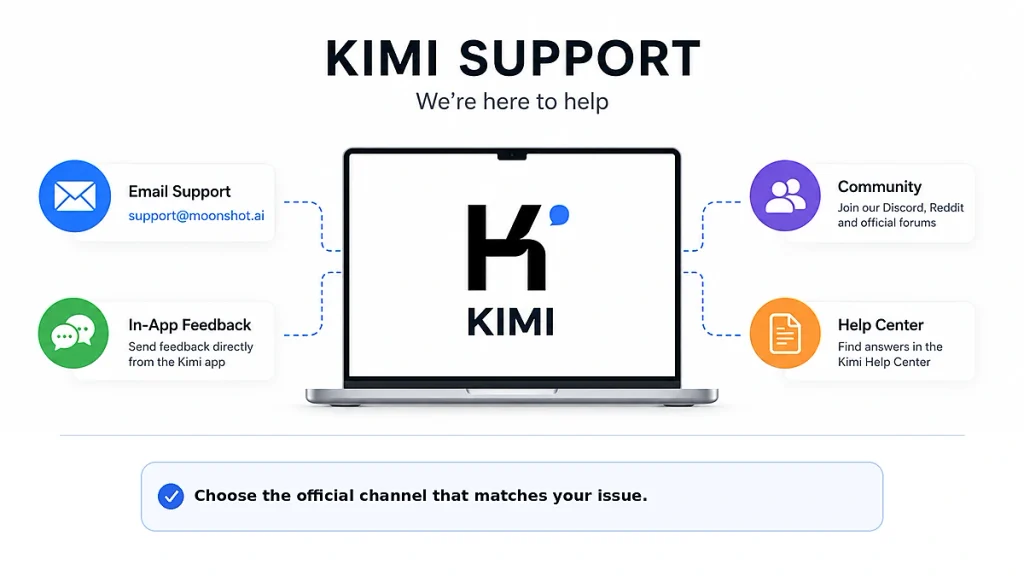
- Use general support for feature questions, app errors, login problems, missing conversations, account profile questions, complaints, reports, and ordinary technical issues.
- Use membership support when the answer requires an order, subscription, credit, charge, cancellation, renewal, or invoice record.
- Use Kimi Code support when the problem occurs in Kimi Code CLI, VS Code, its coding API key, coding quota, local tools, sessions, or project access.
- Use API support when the problem uses a Kimi Open Platform key, organization, project, API balance, model endpoint, developer rate limit, or request ID.
- Use sales for contracts, enterprise verification, committed volume, SLA, higher throughput, compliance material, or large-scale deployment.
A Kimi Membership payment problem should not be sent only to the public API community. An API balance problem should not be treated as a consumer-subscription issue. Kimi Membership, Kimi Code, and the Kimi Open Platform use separate product and billing systems.
How to Contact Kimi for General Product or Account Support
For product-feature questions, technical problems, non-billing account questions, feature suggestions, account complaints, or reports, email:
Examples include:
- Kimi will not open or repeatedly crashes.
- Chat history is missing after signing in to the expected account.
- A feature behaves differently from the current documentation.
- You cannot change a bound mobile number through self-service settings.
- An account was suspended and you want to appeal.
- You want to report abuse or inappropriate content.
- You have a product suggestion.
- You accidentally uploaded highly sensitive information and require further guidance.
Before emailing, check whether a dedicated troubleshooting page can resolve the issue. For example:
- Kimi app not working on Android, iPhone or desktop
- Kimi usage limit reached
- Kimi login problems
- Kimi verification code not received
If those checks do not resolve the issue, send the smallest reproducible example and explain what you expected to happen versus what actually happened.
How to Contact Kimi Billing and Membership Support
For paid membership, credits, charges, subscription changes, cancellation questions, or invoices, email:
This channel is appropriate for:
- Payment succeeded but the membership or credits did not appear.
- You were charged an unexpected amount.
- The account continues to show the old plan after an upgrade.
- You need help reviewing an upgrade or downgrade.
- You cancelled but believe another renewal was charged.
- You want to request a refund review.
- You need an invoice or need to correct invoice information.
- The subscription appears under a different Kimi account.
Kimi states that messages from paid members receive priority, but the public contact page does not promise a fixed general response time. A refund request is a request for review, not a guarantee that a refund will be approved.
What to include in a membership email
- The Kimi account email or safely masked registered phone number.
- The plan name.
- Purchase or renewal date and time, including time zone.
- Amount and currency.
- Payment route: web, Apple App Store, Google Play, or another official method.
- Order ID or transaction reference.
- A receipt or screenshot showing the completed charge.
- A screenshot of the current Subscription page.
- The resolution you are requesting.
Redact the full payment-card number, security code, bank password, unrelated transactions, and personal information that is not needed to investigate the order.
How to Submit Feedback Inside Kimi
In-product feedback is often the best first route for an app or product bug because Kimi says the report can automatically include relevant device and account context.
From the web version
- Sign in to the official Kimi web interface.
- Open the profile or account area in the lower-left corner.
- Select Feedback, or User Feedback → Help & Feedback, depending on the current interface.
- Choose the issue type.
- Describe the problem and attach a safe screenshot.
- Submit the report and save any ticket or feedback identifier shown.
From the mobile app
- Open your Profile or Account area.
- Open Help & Feedback or Settings → Feedback.
- Select Report an Issue or Submit Feedback.
- Explain the problem, device, and steps that caused it.
- Attach a screenshot after checking it for private information.
Report a poor Kimi response
If the product is working but an answer is inaccurate, irrelevant, unsafe, poorly cited, or does not follow the prompt, click the button beneath the response and choose the closest issue type. Include a short description of the specific failure rather than writing only “bad answer.”
How to Contact Kimi Code Support
Kimi Code has a dedicated reporting workflow. For most CLI problems, the recommended first option is the built-in /feedback command.
Report a bug from Kimi Code CLI
- Reproduce the problem once if it is safe to do so.
- Run
/feedbackin the interactive CLI. - Choose whether to submit text only, logs, or additional diagnostic material.
- Review what will be attached.
- Submit the report.
- Save the displayed Session and Feedback ID.
- For follow-up, email [email protected] and include both identifiers.
You can also generate a diagnostic archive with /export-debug-zip in the CLI or kimi export from the shell, where supported. Inspect the archive before sending it, especially when working in a private repository.
Email the Kimi Code team
Include:
- Issue description.
- Exact steps to reproduce.
- Expected and actual behavior.
- Operating system.
- Output of
kimi --version. - Selected model and client.
- Full error text.
- Feedback ID or Session ID.
- Relevant sanitized logs or debug ZIP.
When to use GitHub Issues
Use the official Kimi Code GitHub Issues page for a reproducible public software bug, documentation error, or feature proposal that does not expose private account or codebase information.
Do not post the following in a public GitHub issue:
- API keys or authentication tokens.
- Private source code without authorization.
- Customer information.
- Payment records.
- Account appeals.
- Private logs containing credentials or file paths that should remain confidential.
How to Contact Kimi API Support
For Kimi Open Platform questions, API errors, developer billing, account verification, vouchers, balance, model access, or technical feature requests, email:
You can also sign in to the Kimi Open Platform to view support contacts, documentation, billing records, and the developer community.
Information required for an API ticket
- Organization ID and project ID where applicable.
- Account region and the platform domain used.
- Model ID.
- Endpoint and SDK version.
- Date, time, and time zone.
- HTTP status.
error.typeand sanitizederror.message.request_id.- Whether the request was streaming.
- Prompt-token and completion-token information where relevant.
- The smallest sanitized request that reproduces the problem.
- Checks already completed.
Never send the complete API key. Support can identify a request through the account, organization, and request_id; exposing the secret key creates an additional security incident.
When to contact API support instead of retrying
- A persistent 500 error remains after reasonable retries and includes a repeatable
request_id. - Your balance or top-up is missing.
- The account is restricted or suspended.
- The rate-limit information conflicts with the tier shown in the console.
- A model available in the documentation is absent from
GET /v1/modelsfor the correct regional account. - Billing records show an unexplained charge.
- Enterprise verification or invoice processing fails.
For implementation-level troubleshooting before opening a ticket, consult our Kimi API error guide.
Account Appeals, Complaints and Privacy Requests
Suspended account or abuse report
Email [email protected]. Include the account identifier, approximate time of suspension, use case, explanation, and relevant screenshots. Do not create multiple new accounts to evade an account decision while an appeal is pending.
Privacy or personal-data request
First use the controls available in Kimi Settings for profile information, chat deletion, permissions, memory, and account deletion. For information that cannot be managed through self-service controls, follow the contact instructions in Kimi’s current Privacy Policy.
Kimi’s current policy says identity verification and supporting information may be required for formal privacy complaints or rights requests. It also states a response period of up to 15 working days for qualifying complaints after identity verification.
Sensitive information uploaded by mistake
- Delete the affected conversation from Kimi immediately.
- Do not repost the sensitive content in the support email.
- Email [email protected].
- Use a subject that identifies only the type of incident, such as
[Sensitive Upload] Identity document. - Provide the account, approximate upload time, conversation identifier if available, and the type of information involved.
Do not attach another copy of the identity card, bank card, legal document, password, or confidential file unless the verified support team specifically requests a secure method.
Kimi Business, Enterprise API and Media Contacts
Business and enterprise enquiries
Use the official Kimi API Contact Sales form for:
- Large API token volumes.
- Higher rate limits and concurrency.
- Enterprise contracts.
- Customized SLA.
- Security and compliance documentation.
- Enterprise verification.
- Committed-use discounts.
- Dedicated technical support.
The official sales page says its sales team normally contacts form submitters within one to two business days. This expectation applies to the sales form, not to every general support ticket.
Media enquiries
Journalists and media organizations can use [email protected]. Include the publication, deadline, topic, questions, and whether the request is on or off the record.
Does Kimi Have a Customer Service Phone Number or Live Chat?
The current public English Kimi Help Center does not list a general customer-service phone number. Do not call a number from an unrelated directory, coupon page, search advertisement, social-media reply, or website that happens to use the name “Kimi.”
Kimi does list an official human-support route through WeCom:
- Follow the WeChat Official Account 月之暗面Kimi.
- Open Contact Us.
- Select Contact Support.
- Use the official WeCom customer-support account shown there.
This route may be more practical for users who already use WeChat and WeCom. International users can use the official email or in-product reporting channels instead.
The official contact page also links to community channels such as Discord, the Moonshot forum, X and Reddit. These are useful for public troubleshooting and checking whether other users see the same behavior, but community participants should not be given billing records, private account information, API keys, or confidential files.
Before You Contact Kimi Support
Complete the checks that apply to your problem. This makes the ticket more useful and may resolve the issue without waiting for support.
- Save unsent prompts and generated files.
- Check that you are using the intended Kimi account.
- Copy the exact error message.
- Record the time and time zone.
- Test a new conversation or the simplest possible request.
- Check the official service-status page for a relevant incident.
- Update the Kimi app, Kimi Work, Kimi Code CLI, browser, or SDK.
- Check the relevant usage, balance, subscription, or API console.
- Try another approved network if the problem looks connection-related.
- Search the current official Help Center or Kimi Code Error Reference.
Do not repeat a destructive action merely to collect evidence. For example, do not submit the same payment twice, rerun a tool that changes production data, or upload a confidential file again.
What to Include in a Kimi Support Request
| Information | Why it helps |
|---|---|
| Clear subject line | Routes the ticket to the appropriate team |
| Registered account email or safely masked number | Identifies the relevant account without sharing a password |
| Product surface | Separates Kimi web, app, Work, Code, Claw and Open Platform |
| Plan or API organization | Shows which billing and limits apply |
| Date, time and time zone | Helps correlate requests, incidents and transactions |
| Expected behavior | Defines what should have happened |
| Actual behavior | Defines the failure precisely |
| Steps to reproduce | Allows the team to repeat the issue |
| Exact error text | Prevents misclassification of similar errors |
| App, CLI, SDK and OS versions | Identifies compatibility or regression patterns |
| Safe screenshot or recording | Shows the interface state and message |
| Request ID, Feedback ID or order ID | Links the ticket to internal records |
| Checks already completed | Reduces repeated generic troubleshooting |
| Requested resolution | Makes the desired outcome clear |
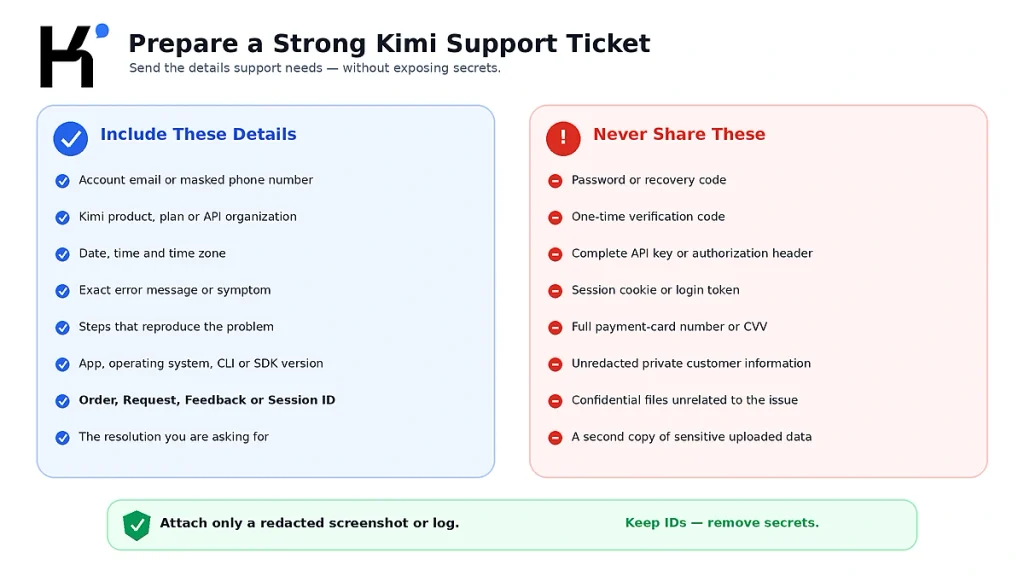
Ready-to-Copy Kimi Support Email Template
Replace the bracketed fields and remove any line that does not apply.
Subject: [Product / Billing / API / Kimi Code] Short description of the issue

Hello Kimi Support,

I need help with the following issue.

Account email or masked phone number:
Product: Kimi Web / Mobile App / Kimi Work / Kimi Code / Kimi API
Plan or organization ID:
Country or region:
Date and time of the issue:
Time zone:

Expected behavior:
[What should have happened]

Actual behavior:
[What happened instead]

Exact error message:
[Paste the error text without passwords, API keys or private data]

Steps to reproduce:
1.
2.
3.

Environment:
Device:
Operating system:
App / CLI / SDK version:
Browser or IDE:
Model or feature:

Identifiers:
Order ID / Request ID / Feedback ID / Session ID:

Checks already completed:
[List the safe troubleshooting steps you tried]

Requested resolution:
[Explain what you need the support team to review]

I have attached a redacted screenshot or log that does not contain passwords,
one-time codes, API keys, session cookies or full payment-card details.

Thank you.
Suggested subject lines
[Membership] Credits missing after completed payment[Billing] Unexpected renewal charge — order ID included[Technical] Kimi app crashes on iOS 18 — version included[Account Appeal] Account suspended on August 22, 2026[Kimi Code] CLI exits during login — Feedback ID included[API] Persistent 500 error — request_id included[Privacy] Request to exercise data rights
How to Share Screenshots and Logs Safely
Review every attachment before sending it. Remove or cover:
- Passwords.
- One-time verification codes.
- API keys and authorization headers.
- Session cookies.
- Recovery codes.
- Full payment-card numbers and security codes.
- Bank-account passwords.
- Private customer or employee information.
- Confidential code or documents unrelated to the bug.
- Unnecessary browser tabs, notifications, email addresses and file paths.
For an API request, replace the key with a label such as sk-REDACTED. Keep the model ID, endpoint, parameters, HTTP status, error type, and request ID when those details are relevant.
For Kimi Code, review the debug ZIP or CLI attachment before submission. Even when a reporting tool attempts to exclude known secret files, you remain responsible for confirming that the package is appropriate to share.
Kimi Support Response Times and Follow-Up
Kimi does not publish one universal response-time guarantee for all support messages.
| Channel | Published expectation |
|---|---|
| General support | No fixed public response time |
| Membership support | Paid-member messages are prioritized; no universal SLA is stated |
| Kimi Code feedback | No fixed general response time; retain the Feedback ID for follow-up |
| API account appeal | The official account guide states one to three business days |
| API sales form | The official sales page states one to two business days |
| Formal privacy complaint | Up to 15 working days after identity verification under the current Privacy Policy |
How to follow up
- Reply to the original email thread instead of opening several duplicate threads.
- Keep the same subject line.
- Add new evidence, not a copy of the original message only.
- Include the original ticket, Request ID, Feedback ID, order ID, or Session ID.
- State whether the issue is still occurring and note the latest time it happened.
- Escalate through the correct product channel if the first message went to the wrong team.
Do not send hourly duplicate emails. Multiple incomplete tickets can make it harder to understand the complete timeline.
How to Avoid Fake Kimi Customer Service
- Open Kimi’s Help Center from the official Kimi website rather than a search advertisement.
- Verify that the email address matches the current official contact page.
- Do not trust a phone number merely because a third-party directory calls it “Kimi customer service.”
- Do not send payment to a personal account offered by a forum or social-media user.
- Do not install remote-control software at the request of an unverified account.
- Do not give anyone your password, SMS code, API key or session cookie.
- Do not send private billing information through Discord, Reddit, X or a public GitHub issue.
- Verify GitHub repositories are under the official
MoonshotAIorganization.
Official community members may provide useful troubleshooting ideas, but only authorized Kimi support teams can inspect private account, subscription, payment, or API records.
What Kimi-AI.free Can and Cannot Help With
Kimi-AI.free is an independent information website. Our guides can help you:
- Identify the likely type of Kimi problem.
- Find the relevant official documentation.
- Prepare a safer and clearer support request.
- Understand error messages, product differences and troubleshooting steps.
- Report an error or correction in one of our own articles through our Contact page.
We cannot:
- View or recover a Kimi account.
- Read official Kimi chat history.
- Change a bound phone number.
- Cancel an official Kimi subscription.
- Approve a refund.
- Restore missing membership credits.
- Reset Kimi Code quota.
- View API billing records.
- Change API rate limits or balance.
- Speak on behalf of Moonshot AI.
Do not send official Kimi credentials, payment documents, private chat history, or API secrets to our independent Contact page.
Frequently Asked Questions
What is the official Kimi support email?
The current global Help Center lists [email protected] for general technical, product, account, complaint, and non-billing questions.
What is the Kimi membership support email?
Email [email protected] for subscription charges, credits missing after purchase, upgrades, downgrades, cancellations, renewals, and invoice issues.
How do I contact Kimi API support?
Email [email protected] or sign in to the Kimi Open Platform to view its customer-service and developer-community options. Include the organization ID, model, endpoint, timestamp, error body and request_id.
How do I contact Kimi Code support?
Run /feedback inside Kimi Code CLI, email [email protected], or open a public bug in the official MoonshotAI Kimi Code GitHub repository when no private account or codebase information is required.
Does Kimi have a customer-service phone number?
The current public English Help Center does not publish a general Kimi customer-service phone number. Use its official email, in-product feedback, WeCom, or product-specific support routes.
Does Kimi offer human support?
Yes. The official Help Center lists email support, in-product support, and a WeCom human-support route accessed through the “月之暗面Kimi” WeChat Official Account.
How do I report a bug in the Kimi app?
Use the Feedback or Help & Feedback option inside the web or mobile app. Include the device, operating system, Kimi version, exact error, screenshot and reproduction steps. For unresolved general technical issues, email [email protected].
How do I request a Kimi refund?
Email [email protected] with the Kimi account, order ID, purchase date, amount, payment route, receipt and reason for the request. Contacting support starts a review; it does not guarantee refund eligibility or approval.
Why has Kimi support not replied?
General support does not publish a universal response-time guarantee. Confirm that the message went to the correct team, check spam or junk folders, and follow up in the original thread with the ticket, Feedback ID, Request ID or order ID and any new evidence.
Should I email every Kimi support address?
No. Send the issue to the team responsible for the relevant system. Duplicate messages to several departments can fragment the evidence and slow down routing.
Can the Kimi community cancel my subscription?
No. Discord, Reddit, GitHub and forum users generally cannot inspect or change private subscription records. Use official membership support for billing and cancellation issues.
Why do some pages show moonshot.cn instead of moonshot.ai?
Some older or regional Kimi pages still surface moonshot.cn addresses, while the current global Help Center lists moonshot.ai addresses. Verify the live official contact page before sending a new request.
What should I never send to Kimi support?
Never send your password, one-time verification code, complete API key, authorization header, session cookie, recovery code, payment-card security code, or unrelated confidential data.
Official Sources and Update Methodology
This guide prioritizes Kimi and Moonshot AI’s current first-party Help Center, product documentation, Privacy Policy and developer platform. The primary sources reviewed were:
- Kimi Contact Us: Membership, General and API Support
- How to Contact Kimi Support
- Kimi Contact and Feedback Channels
- Kimi Code Contact and Feedback
- Detailed Kimi Code Reporting Documentation
- Kimi API Error Documentation
- Kimi API Account and Verification
- Kimi API Contact Sales
- Kimi Privacy Policy
- Official Kimi Code GitHub Issues
Contact addresses and menu paths were last checked on August 22, 2026. If an email or route in this article differs from the current official Help Center, follow the current first-party page.
Last verified: August 22, 2026.