

Kimi K2.8 Preview is the model introduced behind Kimi Code’s standard kimi-for-coding ID on September 11, 2026. The update brings up to one million tokens of context and adjustable thinking effort without requiring existing users to replace that model ID. Moonshot positions it near K3 in overall performance, with more efficient reasoning than K2.7 Code—not as a replacement for every K3 workflow.
The practical change is easy to miss: your saved configuration can stay the same while the model answering your requests changes. Here is what the release means for coding, context limits, model selection, and access.
This is an independent, documentation-based guide, not a hands-on benchmark. kimi-ai.free is not affiliated with or endorsed by Moonshot AI. Release details come from the official Kimi Code release notes.
What is Kimi K2.8 Preview?
Kimi K2.8 Preview is a Kimi model available through the coding service’s standard endpoint. “Kimi 2.8” is shorthand for the release discussed here; the documented version name includes Preview. Keep that label when recording results or comparing it with another model.
| Detail | Kimi K2.8 Preview |
|---|---|
| Kimi Code model ID | kimi-for-coding |
| Maximum listed context | 1,048,576 tokens |
| Thinking effort | low, high, or max; default max |
| Visual input | Images and video |
| Kimi Code eligibility | All membership tiers, subject to usage limits |
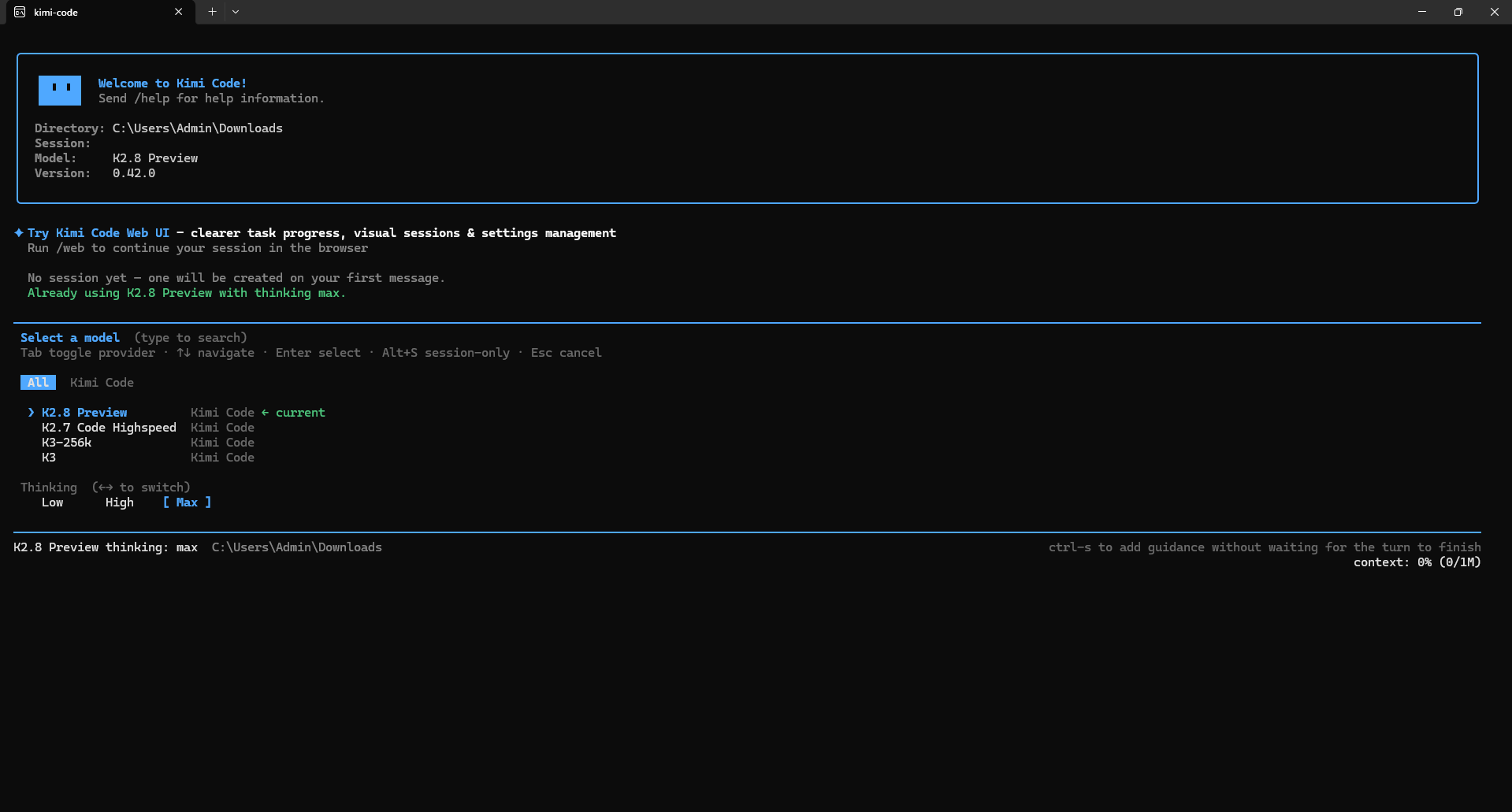
These specifications describe the Kimi Code model configuration. They do not automatically describe every Kimi chat mode, desktop interface, or public API product.
Kimi also provides an official web entry labeled K2.8 Preview. Check the options available after signing in. The concrete model IDs, setup instructions, and entitlement comparisons below refer specifically to Kimi Code.
Kimi K2.8 features: what matters for coding
The release emphasizes coding and agent work. An agent workflow means the assistant can work through a task using connected tools rather than only returning a code snippet. Kimi Code supplies the surrounding file access, editing, and command execution; those capabilities should not be confused with the model acting independently of a client.
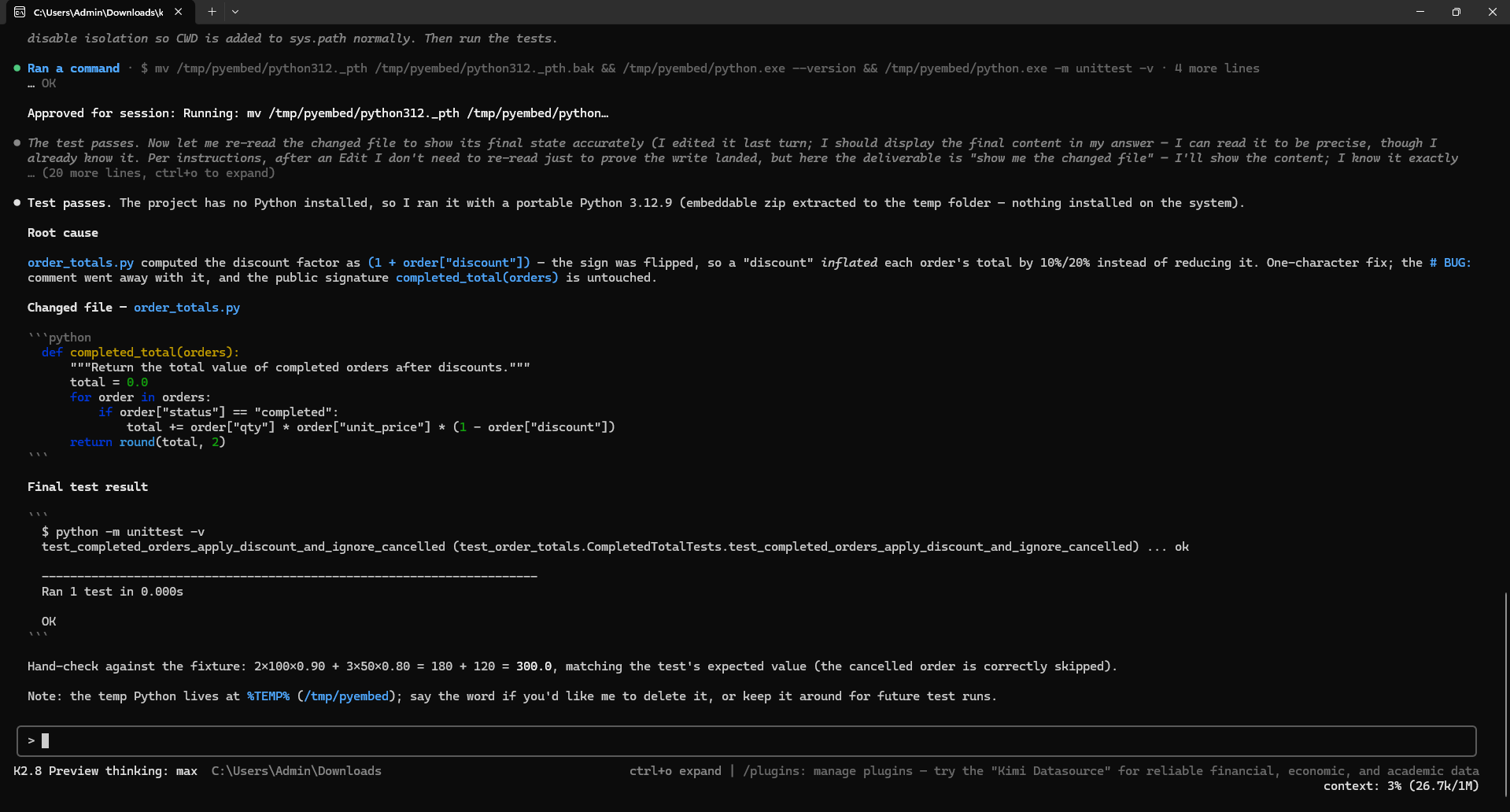
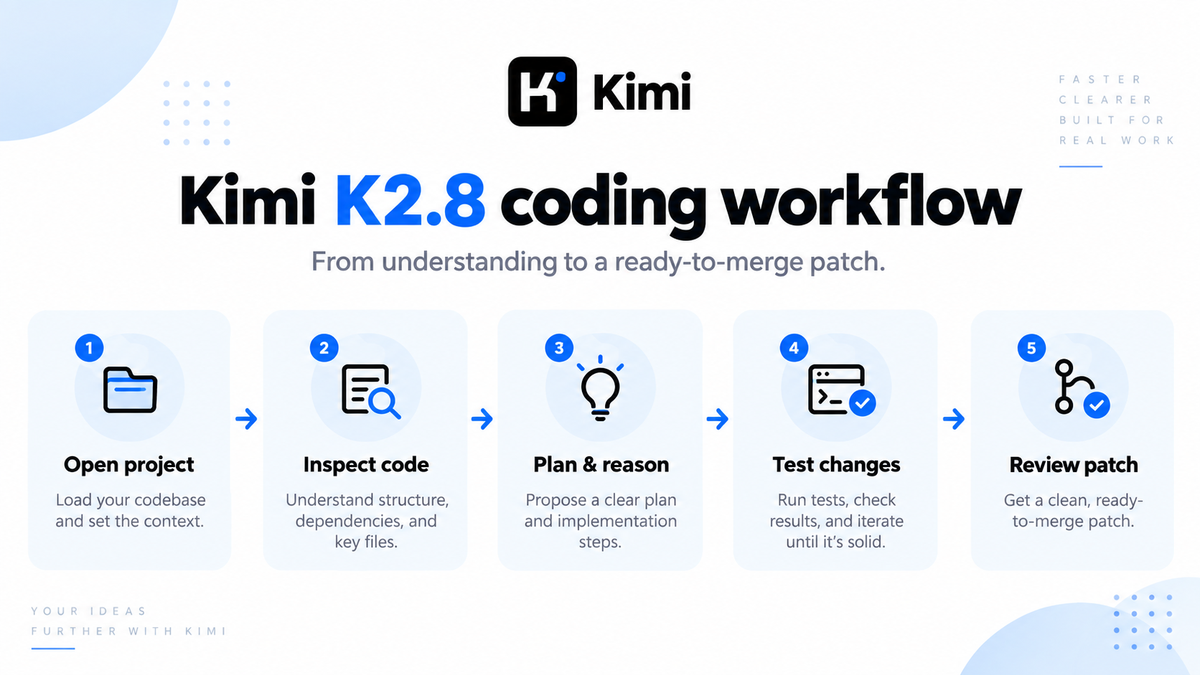
The official workflow examples cover repository investigation, implementation, debugging, tests, and refactoring. Good first assignments are bounded: explain a request handler, repair a reproduced bug, or add a missing test without changing the public interface.
A useful example: ask it to trace how a settings change reaches storage, identify the validation boundary, and propose a regression test. That produces something a reviewer can check against actual files. “Improve this entire application” leaves the scope and finish line too vague.
Visual input adds another useful starting point: a screenshot of a broken layout or a short recording of an interface problem. Describe the expected behavior alongside the media. Treat the attachment as evidence to investigate, not proof that the assistant has reproduced the issue.
For the wider choice between terminal tools, editor integration, and building your own assistant, our Kimi guide for developers explains the surrounding workflow. A model upgrade does not remove the need to review changes and execute tests.
The Kimi K2.8 context window: what 1M actually means
The advertised 1M window gives a larger working budget for a task. It is not a promise of one million generated tokens, permanent memory, or unlimited monthly usage. A long investigation needs room for instructions, conversation history, relevant code, tool results, and the response—not just the source files.
Imagine a bug spanning a client, an API handler, a background worker, and a shared schema. Keeping relevant evidence together can make the investigation easier to follow. Filling the window with unrelated logs, generated files, and duplicate dependencies does not make the diagnosis more trustworthy.
Context also needs active management. Kimi Code CLI’s session documentation describes automatic history compression near the limit and the manual /compact command. Save important requirements and decisions in project notes instead of assuming a long session will preserve every detail unchanged.
A client can impose its own context configuration or attachment limits. For example, the VS Code extension documents separate media-upload limits. A large token window does not override a file-size restriction. Our Kimi context window guide explains these different layers.
Thinking controls: low, high, max, and the routing surprise
K2.8 Preview supports the same three effort labels as K3, but their Kimi Code defaults differ: K2.8 Preview defaults to max, while K3 defaults to high. The official Claude Code integration guide also documents how client settings map to those levels.
| Setting | Suggested starting use |
|---|---|
low | A narrow edit with clear requirements and a quick verification step |
high | Ordinary debugging or a change involving several connected files |
max | A difficult investigation where additional reasoning is worth evaluating |
These task matches are practical suggestions, not measured speed or quality guarantees. Judge the resulting patch rather than the length of its explanation. For a comparison, explicitly set effort on both models instead of assuming their defaults are equivalent.
Turning thinking off can change the model. In Kimi Code, requests to K3-series models with thinking disabled are served by K2.8 Preview without thinking. A test labeled “K3 with thinking off” therefore does not isolate non-thinking K3. Record the actual routing behavior when interpreting the result.
The same integration guide maps Claude Code’s medium to high and xhigh to max. Those are client mappings, not extra native K2.8 effort levels. Do not apply this Kimi Code behavior indiscriminately to the separate public Kimi API.
How to use Kimi K2.8 Preview
Start in Kimi Code CLI
The official CLI installation guide offers an npm installation route requiring Node.js 22.19.0 or later. Check your version first, then install the package once that requirement is met:
node --version
npm install -g @moonshot-ai/kimi-code
Open a terminal inside the project you want to inspect and start the client:
kimiInside the interactive client, enter /login and choose Kimi Code (OAuth). This is different from choosing the Kimi Platform API-key login. After signing in, use /model to select the standard model backed by kimi-for-coding. The slash-command reference documents these interactive controls.
For a first session, use a repository you are authorized to share and keep approval controls enabled. Kimi Code’s interaction guide describes Plan mode and permission settings. Planning is useful for investigation; it is not a substitute for checking what commands and file changes you approve.
Try this read-first prompt, written as a starting example rather than a claimed test result:
Investigate this repository before proposing changes.
Trace how one user request moves from the entry point to data storage.
Cite the actual file paths and function names you inspected.
Identify one missing regression test and explain the failure it would catch.
Do not modify files, install dependencies, or run deployment commands.
Stop after the investigation and wait for approval.
Use the VS Code extension or an existing coding tool
In the official VS Code extension, select the model from the input-bar dropdown. The extension documentation also explains file references, media attachments, and change review. Inspect the diff rather than accepting a completion message as evidence that the task is finished.
For OpenCode, Kimi’s official integration guide uses the Kimi For Coding provider and a Kimi Code key. Select the model with /models in OpenCode; that command differs from the Kimi CLI’s singular /model. Follow the guide for your actual client instead of mixing configuration examples.
Kimi K2.8 vs K3 and K2.7 Code
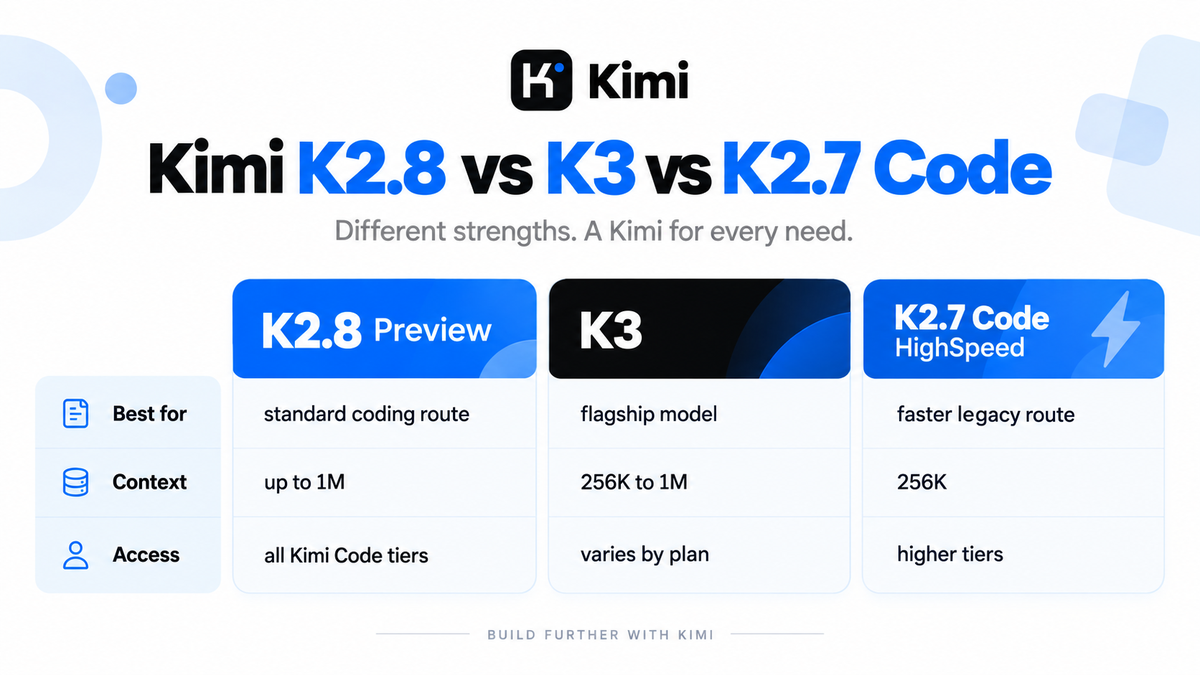
There are two comparisons to make: model capability and access conditions. The following table describes Kimi Code, not the public API catalog. The Kimi Code overview and model configuration page distinguish the standard and HighSpeed routes.
| Kimi Code option | Model ID | Context and access |
|---|---|---|
| K2.8 Preview | kimi-for-coding | Up to 1M; all member tiers |
| K3 | k3 | 256K on Moderato; up to 1M on Allegretto and above |
| K3 with fixed 256K context | k3-256k | 256K; Moderato and above |
| K2.7 Code HighSpeed | kimi-for-coding-highspeed | 256K; Allegretto and above |
Kimi K2.8 vs K3: broader context access is not a quality score
K3 remains the flagship in Kimi’s coding lineup. However, needing more context no longer automatically means choosing it: K2.8 Preview has a larger available window than the K3 allowance on Moderato. Conversely, a larger window does not establish better reasoning on a task that already fits comfortably in 256K.
A sensible evaluation is to start with a bounded task and check whether either model needs significant correction. Escalate difficult work when there is a concrete benefit, such as a correct diagnosis or a more reliable patch—not simply because one name sounds newer. Our Kimi K3 guide covers that model and its separate API configuration.
Kimi K2.8 vs K2.7 Code: do not confuse Standard with HighSpeed
The September update changed the standard coding route to K2.8 Preview; the HighSpeed route still identifies K2.7 Code. It should not be described as “K2.8 HighSpeed.” Selecting HighSpeed therefore changes more than an output-speed setting.
Separately, the public Kimi API quickstart still lists K2.7 Code and its HighSpeed variant. The in-place Kimi Code upgrade does not establish that every public K2.7 API model was replaced. Keep this distinction in mind when using the Kimi K2.7 Code guide.
Also keep performance statistics attached to their original comparison. Moonshot’s K2.7 Code report gives an approximately 30% thinking-token reduction against K2.6. That is not a published K2.8 improvement percentage against K2.7.
Kimi K2.8 performance: what has actually been established?
The launch announcement describes improved coding and agent capabilities, with performance near K3 and more efficient thinking than K2.7 Code. It does not provide a numerical K2.8 benchmark table or a quantified efficiency gain. Treat that positioning as a vendor claim, not an independently demonstrated ranking.
Efficiency can mean several different things: less reasoning output, lower quota consumption, a faster response, or fewer attempts to finish a task. Those outcomes are related but not interchangeable. A shorter answer that introduces a bug is not an improvement.
For a useful comparison, keep the repository state, instructions, tools, and acceptance tests consistent. Record the model version, date, selected effort, and whether thinking was enabled. Save the final diff and actual test output. Timing only the response while ignoring a failed patch answers the wrong question.
This guide does not report a K2.8 speed measurement, pass rate, or production reliability score. The practical recommendation is to evaluate it on work with an observable finish line before expanding its permissions or assigning larger tasks.
Pricing, quotas, and API access
Membership access is not unlimited usage
The international Kimi pricing page lists paid monthly memberships at $19, $39, $99, and $199, with Kimi Code included in each. These are membership prices, not a standalone K2.8 token rate. Regional offers and checkout conditions can differ; our Kimi pricing guide explains the broader plan comparison.
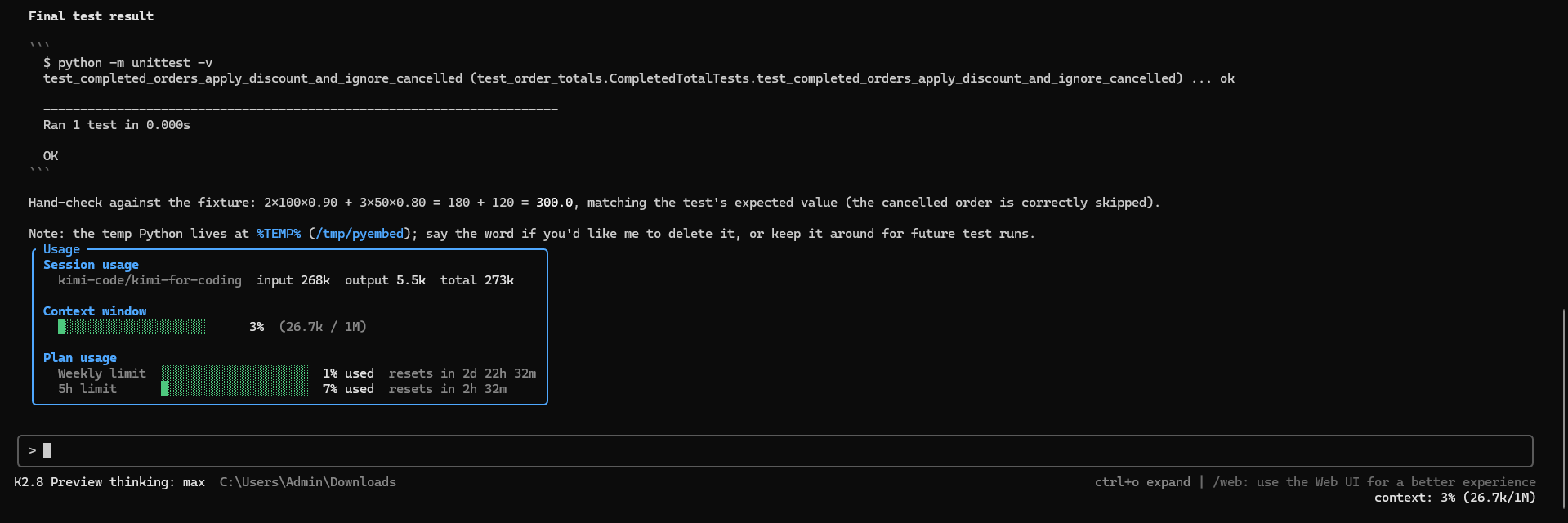
Kimi Code’s membership documentation describes a seven-day quota cycle and a rolling five-hour limit. Devices and keys share usage allowances, and the membership’s monthly total can also constrain access. “Available to all membership tiers” therefore does not mean free, unlimited, or a fresh allowance for each API key.
Use /usage in the CLI or check the Code console before starting a long task. Optional Extra Usage can incur additional charges; review its controls and spending cap rather than assuming an extended run is covered by the subscription.
The Kimi Code API is separate from public pay-as-you-go access
Supported third-party coding clients can connect with a Kimi Code key. The official service overview documents two protocol-compatible base URLs:
| Protocol | Kimi Code base URL |
|---|---|
| OpenAI-compatible | https://api.kimi.com/coding/v1 |
| Anthropic-compatible | https://api.kimi.com/coding/ |
Use kimi-for-coding for K2.8 Preview through this service. A compatible protocol does not make the credentials, billing, or allowed use identical to another platform. Kimi positions Code benefits for programming tools and directs product integrations to its separate Open Platform.
At the review date, the public API catalog and pricing page reviewed for this guide listed K3, K2.7 Code, and K2.6, but no separately priced K2.8 entry. Do not invent a kimi-k2.8 public model ID or assign it another model’s token prices. Check the available inventory through the appropriate platform; our Kimi API model guide covers that selection process.
Troubleshooting after the update
An unchanged model ID can make an upgrade look invisible. Check the selected provider as well as the displayed label. The official configuration page also warns that switching models or reasoning effort can invalidate cached context. A fresh session is a cleaner starting point than repeatedly changing settings in a long conversation.
| Symptom | What to check |
|---|---|
| K2.8 is missing from the CLI list | Use /logout, then /login; select the Kimi Code account rather than the public API login. |
| Authentication or permission error | Check the full message, key source, base URL, and plan entitlement. A 401 can describe either credentials or a restricted capability. |
| Usage limit reached | Inspect the console’s reset window and allowance. Repeating requests or adding keys does not create a new quota. |
| A request fails before reaching the advertised context size | Check the actual model ID, client context configuration, and separate request or attachment limits. |
The Kimi Code error reference distinguishes authentication, entitlement, quota, and request-format failures. Diagnose that specific service rather than applying a generic API-error fix.
Frequently asked questions
Do existing users need a new model ID?
No. The standard ID was upgraded in place. Existing integrations already using the correct Kimi Code service and kimi-for-coding do not need a replacement ID just to receive the update.
Does Kimi K2.8 replace K3?
No. Kimi Code lists them separately. Choose using the work, available context, and accepted output quality—not a simple assumption that every later release replaces the flagship.
Can I download Kimi K2.8 and run it locally?
The cited Preview launch announcement does not establish a downloadable K2.8 checkpoint or license. Access through Kimi Code is not evidence of an open-weight release. Verify an official model-specific repository before planning local deployment, and do not treat K2.7 or K3 weights as K2.8.
Should you use Kimi K2.8 Preview?
For an existing Kimi Code subscriber, start with a focused investigation or small change, then inspect the evidence. The update is a reason to reassess your standard coding setup, not a reason to stop reviewing code.
Keep K3 in the comparison for demanding work, distinguish the K2.7 HighSpeed route from K2.8, and keep production API decisions separate from subscription-based coding access. A useful upgrade is one that leaves you with correct, reviewable work and an acceptable usage bill.
Last reviewed: September 12, 2026.
